

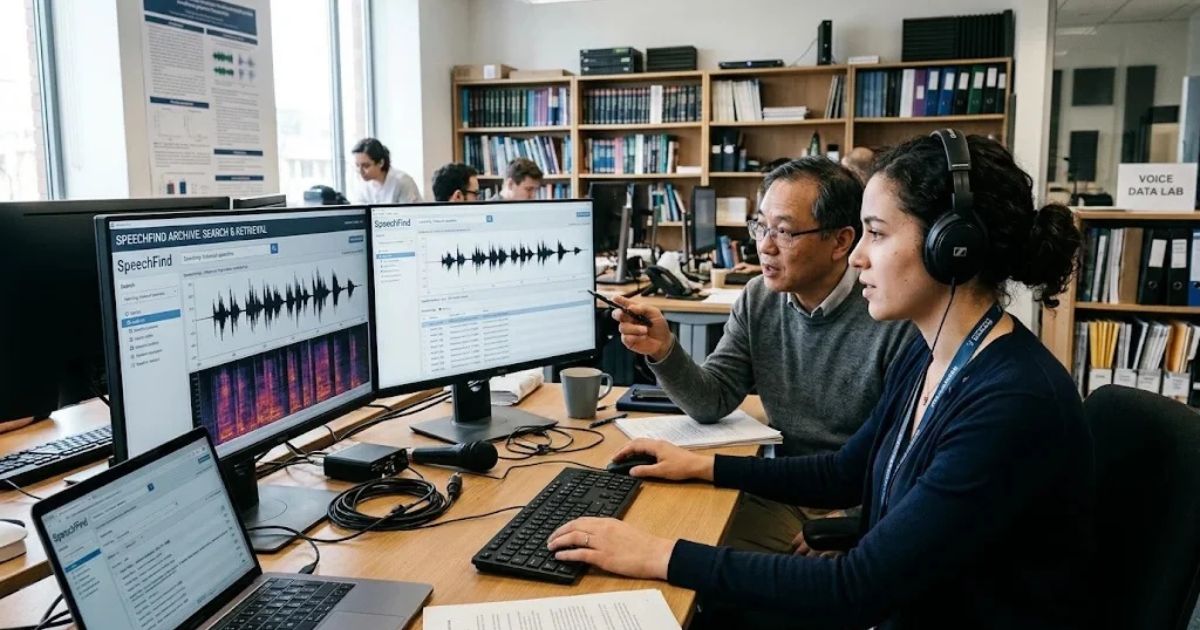
SpeechFind is a spoken document retrieval system developed by researchers at the University of Texas at Dallas (UT Dallas). It lets people search large collections of recorded speech by keyword, speaker, and time, instead of listening to hours of audio to find one sentence. The project began as a tool for a national archive of historical recordings and later expanded into research on NASA mission audio and classroom recordings.
This guide explains what SpeechFind is, how the technology behind it works, and where it performs well or poorly. It also covers who benefits from spoken audio search, the privacy questions you should ask before using it, and how to judge any tool of this kind. Archivists, oral historians, education researchers, and anyone sitting on a large recording library will find the practical details most useful.
The short answer
SpeechFind is a research-based search system for audio. It converts speech into text with automatic speech recognition (ASR), indexes that text with timestamps, and returns matches that point you to the exact moment in the recording. Its roots are in academic speech technology, not in a consumer app, so availability and features depend on the project’s current status.
What SpeechFind is
SpeechFind comes from the Center for Robust Speech Systems (CRSS) at UT Dallas, a research group led by John H. L. Hansen. The group focuses on speech processing under difficult conditions, such as noise, accents, and poor recording quality.
The name describes the core job: finding speech. In practice, the system addresses a problem that spreads far beyond one project. Audio and video archives keep growing, but most of that content has no transcript and no reliable index. A recording of a 1960s interview or a 2010s classroom session is only useful if someone can locate the parts that matter.
Note on the name: “SpeechFind” is also a generic-sounding term, so searches may return unrelated tools, apps, or websites. The information in this guide refers to the UT Dallas research system. Before relying on any product using the name, confirm who runs it and where it is hosted.
Where SpeechFind came from
The most documented early work involved the National Gallery of the Spoken Word, a collection of historically significant recordings. A 2005 paper in IEEE Transactions on Speech and Audio Processing, “SpeechFind: Advancements in Spoken Document Retrieval for a National Gallery of the Spoken Word,” described the system’s approach to searching that archive. The paper focused on making old, uneven recordings searchable and on the challenges that came with it.
Later CRSS work extended these methods to other collections. Among them was the Fearless Steps project, which applied speech technology to audio from NASA’s Apollo missions. Researchers also used related tools to analyze classroom recordings, which is a separate line of work from the archive research.
What this history tells you: SpeechFind was built for hard audio. Noisy, old, overlapping, or accented speech was the design target, not an edge case.
How spoken document retrieval works
Spoken document retrieval (SDR) is the field that studies how to search audio the way a text search engine searches web pages. Most SDR systems, including the approach behind SpeechFind, follow a similar pipeline.
- Ingest the audio. The system receives recordings and, where possible, basic metadata such as date, title, and speaker names.
- Segment the audio. Long files are split into smaller parts, often by pauses or changes in acoustic conditions.
- Identify speakers. Speaker diarization estimates who spoke when. Speaker identification goes further and tries to match voices to known people.
- Recognize speech. ASR converts speech into words with timestamps. Many systems also keep confidence scores that show how certain the recognizer is about each word.
- Build an index. The transcript is stored in a searchable structure, so the system can find words quickly across thousands of hours.
- Handle queries. When you search, the system looks for matches, sometimes with fuzzy matching for spelling variants or uncertain words.
- Return results with playback points. Each match links to a timestamp, so you can listen to the context around it.
Core components at a glance
| Component | What it does | Common weak point |
|---|---|---|
| Audio segmentation | Splits recordings into manageable parts | Misses boundaries in continuous speech |
| Speaker diarization | Labels who is speaking and when | Confuses similar voices or overlapping speakers |
| Speech recognition (ASR) | Turns speech into timestamped text | Errors on noise, accents, and rare names |
| Indexing | Makes text quickly searchable | Only as good as the transcript underneath |
| Query matching | Finds words and phrases | Misses paraphrases and unusual spellings |
| Playback linking | Connects results to audio moments | Timestamps can drift on poor-quality files |
Why the transcript quality matters most
Every later step depends on the transcript. If ASR gets a name, date, or technical term wrong, the search cannot find it, no matter how good the index is. This is why SDR research spends so much effort on recognition under bad conditions.
Speech recognition accuracy is usually reported as word error rate (WER), which counts substitutions, deletions, and insertions as a share of the words in a reference transcript. A lower WER means fewer errors. WER depends heavily on the audio, the language, the speakers, and the vocabulary, so a single number from one dataset tells you little about your own recordings. Always test with a sample from your collection.
Who uses spoken audio search
Spoken search tools serve several groups. The needs differ, so the right setup depends on who you are.
- Archivists and librarians need to index large historical collections and make them discoverable.
- Oral historians want to find themes, names, and events across many interviews without re-listening to everything.
- Education researchers study how teachers and students interact. They need to find specific types of talk, such as questions or feedback, across many classroom sessions. This work requires strict privacy controls.
- Media teams search interviews, broadcasts, and podcasts for quotes and segments.
- Research teams in linguistics, history, and science study how language and speech change over time or across settings.
Advantages of spoken document search
- Time savings. Finding a moment in a 40-hour archive takes seconds instead of days.
- Precise navigation. Timestamped results point you to the right minute.
- Richer analysis. Transcripts allow counting, comparison, and pattern detection across many recordings.
- Better access. Searchable archives help people who cannot easily listen to audio, including people who are deaf or hard of hearing, when transcripts are reviewed and accurate.
Limitations you should plan for
No spoken search system is perfect. These are the limits that matter most in practice.
- Recognition errors on difficult audio. Background noise, low-quality tape, distance from the microphone, and overlapping voices all raise the error rate.
- Missing or wrong proper nouns. Names of people, places, and products are often the most important search terms, and they are also the most likely to be misrecognized.
- Vocabulary gaps. Technical jargon, slang, and words from other languages can fall outside what the recognizer knows.
- Speaker errors. Diarization can merge two speakers or split one speaker into several labels, which affects speaker-based searches.
- Keyword limits. A keyword search will miss a passage that expresses the same idea with different words. Semantic search helps, but it adds its own errors.
- Confidence scores can mislead. A high score does not guarantee a correct word. Treat scores as hints, not proof.
Privacy, consent, and ethics
Recorded speech is personal data. Classroom recordings may include students, who are minors in many cases. Oral history interviews may contain sensitive personal details. Before you process any recording:
- Confirm you have consent that covers analysis by automated tools.
- Check your institution’s rules. In the United States, schools must consider the Family Educational Rights and Privacy Act (FERPA) when handling student education records. Research involving people usually requires review by an institutional review board (IRB) or ethics committee.
- Find out where the data is stored, who can access it, how long it is kept, and whether it is used to train other systems.
- Restrict access and remove identifying details from shared transcripts when possible.
Many problems with speech technology come from skipping these steps, not from the software itself.
How to evaluate a spoken search tool
Use this checklist before you commit to any SpeechFind-style system, whether it is the UT Dallas research system or another product.
- Test on your own audio. Run 30 to 60 minutes of representative recordings. Compare the output to a human-corrected transcript and calculate WER.
- Check timestamp accuracy. Click ten results at random. Do they land within a few seconds of the matching word?
- Check speaker labels. Do speaker names and turns look right in a sample?
- Review proper noun handling. Search for ten names, places, and terms that matter to your project.
- Ask about data handling. Where is data processed and stored? Who owns the outputs? Is data retained or used for training?
- Confirm export options. Can you download transcripts, timestamps, and metadata in an open format?
- Verify current status. Check when the project or product was last updated and who maintains it.
- Read the licensing terms. Research use, commercial use, and redistribution rules often differ.
Common mistakes when searching spoken archives
- Trusting raw transcripts. Uncorrected ASR output can look polished while containing serious errors. Review anything you will publish or cite.
- Ignoring audio quality at capture. Better recording at the start saves more time than any search tool can.
- Searching only one spelling. Try variants, nicknames, abbreviations, and common misrecognitions.
- Assuming a page means a working service. A website, article, or listing does not confirm that a tool is available, maintained, or free.
- Skipping the consent review. Privacy problems are much harder to fix after data has been processed.
Expert tips for better results
- Build a short list of “must find” terms before you start, including names and dates. Test those first.
- Keep original audio alongside transcripts. Corrections are much easier to make when you can check the source.
- Use a standard correction workflow. Have one person correct and a second person spot-check a sample.
- Tag recordings with metadata at ingestion, such as date, location, and speaker roles. Metadata often improves search more than model upgrades do.
- Document your evaluation. Record the WER, the test sample, and the date. You will need this when someone asks how reliable your results are.
SpeechFind compared with other approaches
| Approach | Strengths | Limitations | Best fit |
|---|---|---|---|
| Manual listening and notes | High accuracy, full context | Very slow, does not scale | Small collections, close analysis |
| General transcription services | Easy to start, low setup | Limited search features, variable accuracy on hard audio | Single files, short projects |
| Spoken document retrieval research systems (such as SpeechFind) | Designed for search across archives, speaker and time-based features | May require research access, uncertain long-term availability | Archives, research projects with technical support |
| Enterprise media-search platforms | Support, integrations, scale | Cost, vendor lock-in, data-policy questions | Organizations with large budgets and ongoing needs |
For most small teams, the right choice is a combination. Use automated transcription for first-pass indexing, then apply human review to the parts that matter.
Current status and what to verify in 2026
Two things should be kept separate: the documented history of SpeechFind, and its current availability.
Documented and verifiable: SpeechFind is a research system from UT Dallas’s Center for Robust Speech Systems. Its published work includes spoken document retrieval for a national spoken-word archive and later research on NASA Apollo-era audio and classroom recordings.
Not confirmed here: Whether a public, hosted SpeechFind service is operating in 2026, what it costs, and what features it currently offers. Research tools change, move, or go offline. Check the official project pages, the university research group’s site, and the date of the most recent update before you plan around any tool.
Projection, not fact: Speech recognition has improved quickly in recent years, with open and commercial models handling noisy audio better than earlier systems. Better recognition should make spoken search more reliable, but accuracy still varies by language, accent, audio quality, and domain. Test any tool on your own material instead of assuming improvements apply to your recordings.
What comes next for spoken audio search
Several trends are shaping the field:
- Stronger recognition models handle more languages and noisier audio, though error rates on hard recordings remain uneven.
- Semantic and natural-language search lets people ask questions instead of typing exact keywords, but it can produce confident-sounding answers that are wrong. Results still need checking against the audio.
- Better metadata and speaker modeling make results easier to filter and interpret.
- Stricter privacy expectations will shape how education and research data is collected and processed.
FAQ
Is SpeechFind a consumer app?
SpeechFind originated as a research system from UT Dallas. It is not the same as a consumer app. Confirm current availability and access terms on the official project pages before you plan to use it.
Who developed SpeechFind?
It was developed by researchers at the Center for Robust Speech Systems at the University of Texas at Dallas, led by John H. L. Hansen.
What is spoken document retrieval?
Spoken document retrieval is the process of searching audio or video recordings by converting speech into text, indexing that text, and returning results that link to specific moments in the recording.
How accurate is spoken audio search?
Accuracy depends on audio quality, accents, background noise, speaker overlap, and vocabulary. Accuracy is usually measured as word error rate. There is no single accuracy figure that applies to all recordings, so test a sample from your own collection.
Can SpeechFind search classroom recordings?
Research on classroom recordings has used related speech technology. Because these recordings involve students and teachers, you need consent, institutional approval, and a clear data-handling plan before processing them.
Is SpeechFind the same as Speechify?
No. Speechify is generally known as a text-to-speech product, which reads text aloud. SpeechFind is a speech search and retrieval system that works in the opposite direction, converting recorded speech into searchable text.
What should I do if I find a website using the SpeechFind name?
Check who operates it, whether it is connected to a university or established organization, what data it collects, and when it was last updated. The name is not unique, so do not assume a page is connected to the UT Dallas research system.
Conclusion
SpeechFind is a serious piece of speech research, built to make large audio collections searchable when transcripts and indexes are missing. Its history in archival and NASA-related audio work shows that it was designed for difficult recordings, not clean studio speech. The core ideas, transcription with timestamps, speaker labels, and indexed search, are useful well beyond one project.
The main risks are recognition errors, missed names, privacy obligations, and uncertainty about whether a given tool is still available. Test any system on your own audio, review the output, and check the consent and data rules before you start. If you verify those points, spoken audio search can save significant time and open recordings to research that would otherwise never happen.
Leave a Reply